<img height="1" width="1" style="display:none;" alt="" src="https://px.ads.linkedin.com/collect/?pid=1732033&amp;fmt=gif">
Skip to content
ISEC7 GROUP

ISEC7 SPHERE
THE DIGITAL WORKPLACE MANAGEMENT PLATFORM

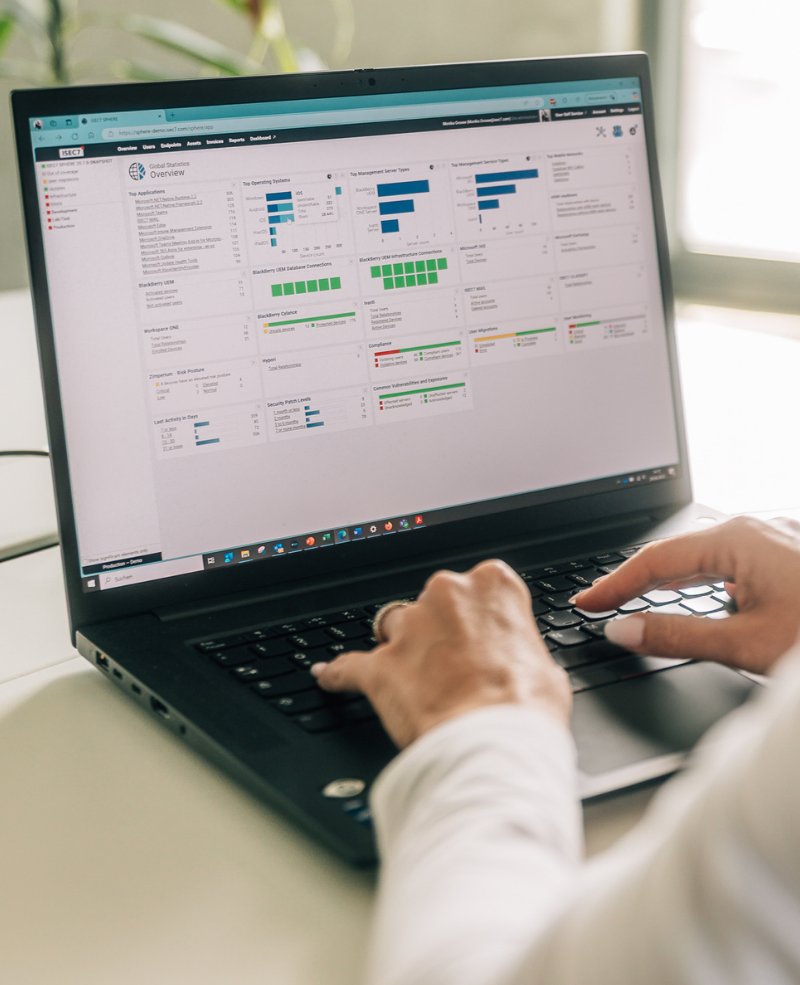
ISEC7 SPHERE dashboard on a laptop
DIGITAL WORKPLACE MANAGEMENT AND MONITORING
 

One console for your entire digital workplace infrastructure

ISEC7 SPHERE is a monitoring and management suite for digital workplace and mobile device infrastructure, built for IT teams that run several platforms side by side. It monitors the systems, services, certificates, policies and transactions your environment is made of, across vendors, in one web-based console. That includes setups where BlackBerry UEM, Ivanti, Omnissa Workspace ONE UEM and Microsoft Intune run in parallel. It also covers migration between UEM platforms, compliance reporting and self service for end users. The suite is developed by the software division of the ISEC7 Group; its data comes from the APIs of the connected systems and from its own agents.


ISEC7-Sphere-Logo-NEW-2024_1500x1344px
Manage and monitor your Digital Workplace
ISEC7-Mail-Logo-NEW-2024
ISEC7-Classify-Logo-2024-FINAL

A certificate expiry, a CVE, a policy violation and a user ticket all refer to the same object in the same database.

Several UEM platforms in one console

ISEC7 SPHERE connects several UEM and mail environments and several domains in a single instance, for desktop and mobile devices alike. Administrators see every environment in one console instead of opening one per vendor, and can act faster when something fails.

Digital Workplace Monitoring

Via the solution dashboard and dynamic infrastructure network view, IT administrators and help desk staff get real-time updates about the Digital Workplace infrastructure. ISEC7 SPHERE flags potential issues before they affect users. Customizable proactive alerts are sent to assigned IT staff who can resolve issues before they turn into outages.

UEM Migration Toolkit

ISEC7 SPHERE handles the migration of mobile device management (MDM), enterprise mobile management (EMM), and unified endpoint management (UEM) accounts for users and devices, along with related settings, managed devices and groupware, making transitions smoother and more cost-efficient.

User Self Service

Via the fully customizable self-service module, mobile users are able to self-provision, manage and troubleshoot devices. It simplifies tasks such as remote lock, wipe and activation and cuts down helpdesk calls while increasing user satisfaction. In addition user can see their assets and installed applications or access the order shop, when activated.

Device as a Service

ISEC7 SPHERE comes with integrated DaaS features to streamline all administrative processes for end user onboarding and offboarding tasks including hardware order shop, approval workflow, asset management, app usage and much more.

Compliance Monitoring

ISEC7 SPHERE monitors compliance on two levels. For users and devices: app versions, OS and patch level, VPN connectivity, call and SMS logs, and email domains via ISEC7 MAIL; from version 20.9.0 also mandatory, optional and prohibited apps per user across all of their devices. For servers: OS and patch level, CVEs, certificates and crypto compliance. indigo environments get a dedicated dashboard.

CVE Monitoring

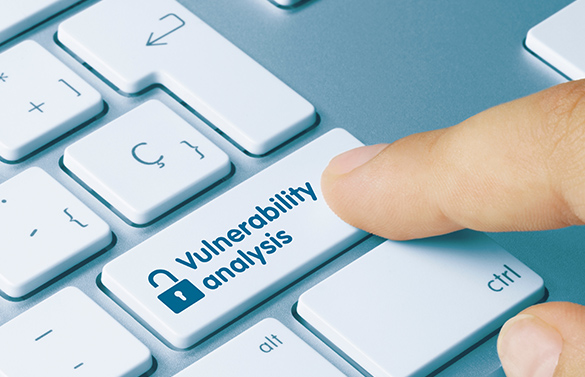
ISEC7 SPHERE matches the versions of monitored servers against the NIST National Vulnerability Database using CPEs and raises an alert as soon as a CVE affects a version in use. Every new CVE stays open until someone on the team acknowledges it, so the acknowledgement status becomes your work queue.

Real-Time Healthcheck
ISEC7 SPHERE brings data from UEM systems, servers, networks and applications into one database and uses error correlation and performance analytics to calculate a real-time health status, shown on one dashboard. Deviations become visible before users report them as outages.

Data classification with ISEC7 CLASSIFY

ISEC7 CLASSIFY, the ISEC7 add-in for marking email and Office documents, sends its activity data to ISEC7 SPHERE. That is where you manage schemes, track compliance and archive classified communication. More about ISEC7 CLASSIFY

Notification Engine

ISEC7 SPHERE notifies administrators and managers over several channels, depending on their role and the trigger: email, SMS, SNMP, Microsoft Teams, ServiceNow and the BlackBerry AtHoc platform.

ISEC7 SPHERE
 

Key benefits

  • Centralized control saves time & reduces operational costs
  • Earlier detection of points of failure reduces the cost of downtime & increases productivity
  • End-to-end visibility provides better user experience & fewer help desk calls
  • Continuous compliance monitoring reduces security risks and produces evidence without manual consolidation.
  • Detection of weak mobile infrastructure components facilitates planning for future investments 
Technical integrations
 

Which systems does ISEC7 SPHERE connect to?

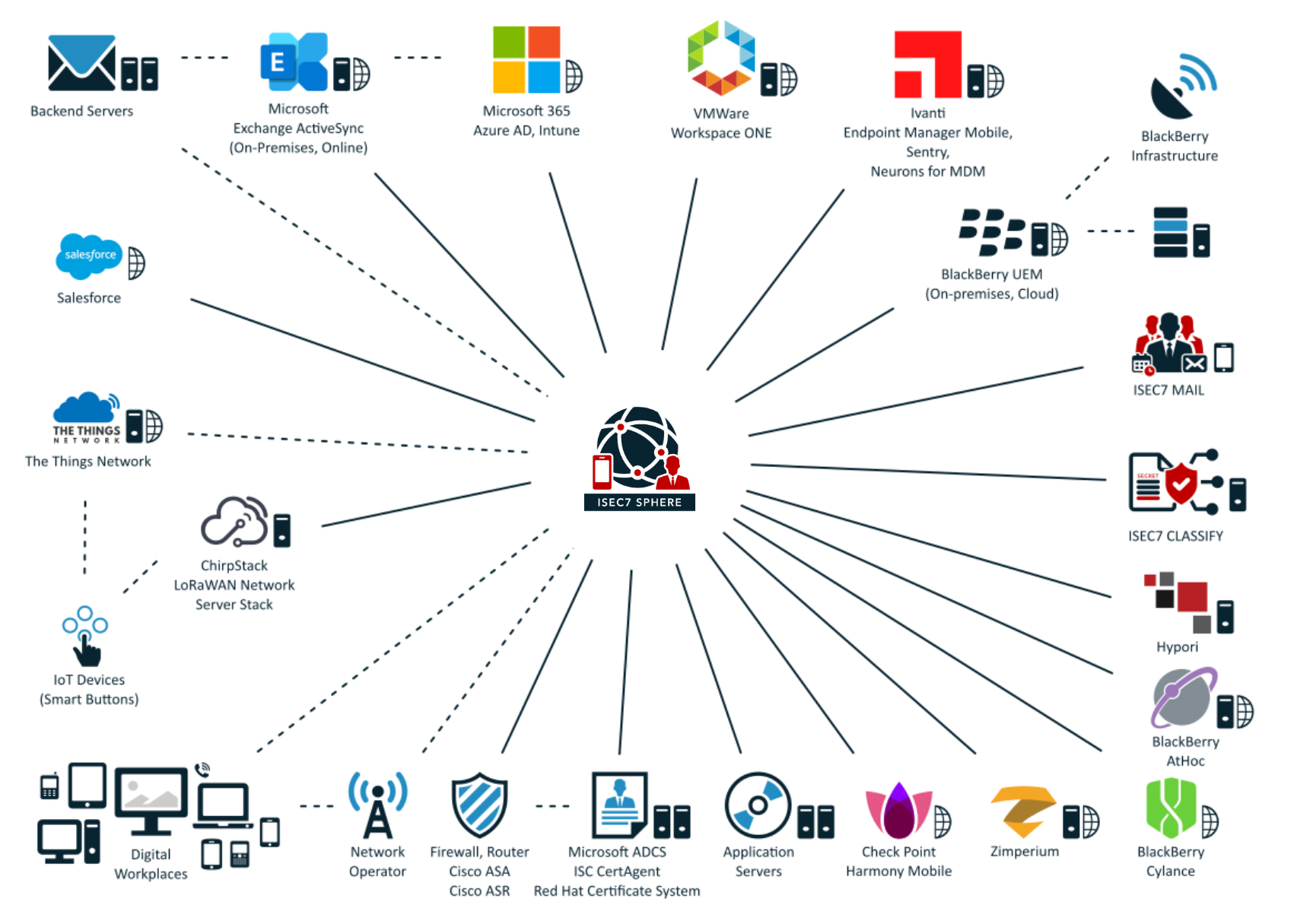
ISEC7 SPHERE enables organizations to manage and monitor their entire digital workplace infrastructure and network, and quickly identify and resolve issues — from one web-based, central console

UEM-PLATFORMS
BlackBerry UEM, Ivanti, Omnissa Workspace ONE UEM (formerly VMware), Microsoft Intune

PRODUCTIVITY SYSTEMS
Microsoft 365, Microsoft Entra ID, Microsoft Exchange Server and Exchange Online, ISEC7 MAIL

SECURITY SYSTEMS
Cylance (Arctic Wolf since 2025), Zimperium, Check Point Harmony Mobile, ISEC7 CLASSIFY

BACKEND SYSTEMS
Red Hat Certificate Authority, ChirpStack, Microsoft SQL Server, Hypori

NETWORK COMPONENTS
Webservers, Firewall, Router, Cisco ASA, LoRaWAN, Network operators

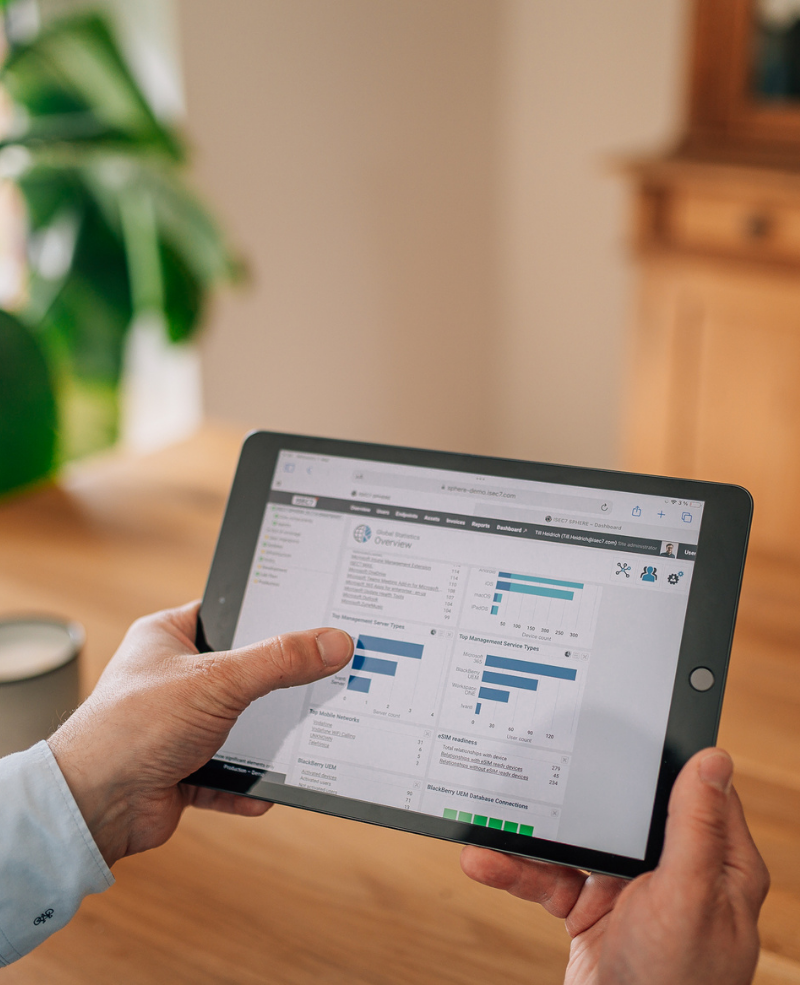
ISEC7 SPHERE dashboard on a tablet
ISEC7 SPHERE architecture: connected via API, agents and syslog
ISEC7 SPHERE
 

Architecture: API, agents and syslog

  • ISEC7 SPHERE is available as an on-premises installation or a cloud instance
  • Monitoring and management of integrated and connected systems can be done via API or dedicated agents, which increases the number of collectable data points
  • Numerous API connectors collect data from leading technology platforms including network components, UEMs, UES systems, backend services, cloud infrastructure providers, Microsoft 365 and dozens of leading 3rd-party solutions
  • ISEC7 SPHERE can receive and analyse syslog values
  • Agents can be configured to pre-filter "useless" data without information to avoid sending unnecessary data to other, possibly billed-by-volume based log-analytics software
Questions and answers

Frequently asked questions about ISEC7 SPHERE

How do I monitor several UEM platforms such as Microsoft Intune, Ivanti and BlackBerry UEM from one console?

Every UEM comes with its own console; for a combined view you need a layer on top that pulls device, user and policy data from each system's APIs. ISEC7 SPHERE is that layer and does not replace a UEM: it connects BlackBerry UEM on premises and in the cloud, Ivanti EPMM, Ivanti Sentry, Ivanti Neurons for MDM, Omnissa Workspace ONE UEM, Microsoft Intune and others at the same time. Every connection needs a service account in that system and a firewall rule. You get one status view and one reporting path across all platforms instead of one console per vendor.

What is digital workplace monitoring, and why do you need it?

Digital workplace monitoring watches the systems users' work depends on, such as UEM, mail, servers, network and applications, so IT sees deviations before users report them as outages. ISEC7 SPHERE brings data from UEM systems, servers, networks and applications into one database and uses error correlation and performance analytics to calculate a real-time health status. A certificate expiry, a CVE, a policy violation and a user ticket all refer to the same object there.

How do I migrate devices from one UEM vendor to another?

A phone can only be enrolled in one UEM environment at a time, so a vendor change means every device has to leave the old environment and enroll in the new one. ISEC7 SPHERE migrates users and devices from a source to a target environment using migration profiles, also between domains, between mail platforms and when devices are swapped. End users trigger the migration themselves, in the user self service portal or in the migration app for iPhone and Android, whose address and credentials your UEM distributes through app configuration. On Android, SMS, call history and local contacts can be carried over if the device runs in the COBO UEM mode; migrations across several domains need one service account per domain.

How do I find out whether a new CVE affects my servers?

A common approach is to match the software versions in use against the NIST National Vulnerability Database (NVD), which maps CVEs to specific products and versions through CPE identifiers. ISEC7 SPHERE does this for on-premises BlackBerry UEM, Ivanti, Microsoft Exchange and Microsoft SQL Server and for Omnissa Workspace ONE, and since version 20.8.0 for itself, including Apache Tomcat and Java. Every new CVE triggers an alert and stays open until someone acknowledges it; for endpoints, it monitors OS, patch and app levels from the connected UEM systems. Active vulnerability scanning and hardening checks are not part of it.

How do I keep track of expiring certificates, Apple DEP tokens and client secrets?

When a server certificate, an Apple DEP token or the client secret of an app registration in Microsoft 365 expires, connections, enrollment or data retrieval stop, so all three belong on the same expiry list. ISEC7 SPHERE monitors the certificates in use across connected systems in near real time, with scheduled or ad hoc reports on certificate parameters. It also tracks the expiry of Apple DEP tokens for the Microsoft 365 and Ivanti integrations and, since version 20.9.0, certificates and client secrets of any app registration in Microsoft 365.

How do I get UEM and mail system alerts into ServiceNow as tickets automatically?

The monitoring system itself has to open an incident when a status changes and close it once the status is back to normal; otherwise the handover stays manual. ISEC7 SPHERE does this in ServiceNow, and creates support cases in Salesforce the same way. Notifications also go out by email, SMS, SNMP, Microsoft Teams and BlackBerry AtHoc to recipient lists with their own filters, in English, German, French or Spanish. The delay before a notification can be set per status reason, and outgoing emails can be signed with S/MIME.

What is indigo, and how do I monitor compliance in an indigo environment?

indigo is the BSI framework for using iOS devices up to the German classification level VS-NfD; the approvals belong to the vendors of the products in use. Since version 20.9.0, ISEC7 SPHERE includes a dedicated dashboard for indigo compliance monitoring. It shows the status of the mandatory confirmation of indigo implementations with the related contacts, reports prohibited apps and lists the approved ecosystem apps with their installation counts, based on the BSI register entries. More on our indigo page.

Does ISEC7 SPHERE run on premises or in the cloud?

Both: ISEC7 SPHERE is available as an on-premises installation and as a cloud instance. Running it yourself requires Windows Server 2016, 2019, 2022 or 2025 (64-bit) and Microsoft SQL Server 2016, 2017, 2019 or 2022, and it can run in a virtual machine. Java and Apache Tomcat are included in the setup. For very large environments, the monitor and web components can be installed separately.

How is high availability handled in ISEC7 SPHERE?

As a cold standby: one instance is active, other instances wait on standby, connected to the same database, and are started manually if the active one fails. Switchover runs through a DNS alias or a load balancer, and agents re-resolve the alias at regular intervals. Each instance gets its own product key. The switchover belongs in the operations manual as a procedure, because it depends on DNS, agent resolution and the license check.

Last reviewed: 28 September 2026 · Feature information based on the ISEC7 SPHERE 20.8.0 administrator training and release 20.9.0

REQUEST YOUR ISEC7 SPHERE TRIAL OR DEMO NOW